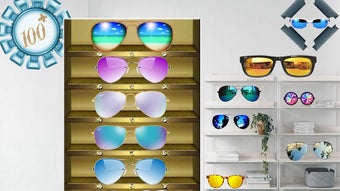

Download Glasses Photo Editor Pics APK – photo editor, glasses filter, edit photos, free photo editor, android app, fun photo editing, image makeover, social media editing, filter app, photo effects
Overview
Glasses Photo Editor Pics is a mobile-focused application designed for users seeking an engaging and accessible way to enhance their digital photos. The app caters to casual users and social media enthusiasts who want to experiment with visual transformations without the complexity of professional editing tools. Its primary function centers on applying creative filters, particularly those that simulate wearing glasses, allowing users to instantly alter their appearance in photos. This makes it ideal for fun photo makeovers, social media content creation, and playful image sharing. The app supports both smartphones and tablets, indicating a responsive design tailored for various screen sizes. It enables users to modify images by adjusting colors, removing or replacing backgrounds, adding stickers, and applying various visual effects. The ability to select images from the device’s library and share the edited results directly to social platforms enhances its usability in real-world scenarios. The developer, Glasses Photo Editor Pics, has positioned the app as a lightweight, free tool focused on entertainment and personal expression through image editing. No additional details about the developer’s background or broader product portfolio were provided.
Key Features & Capabilities
- Glasses Filter Application – Users can apply virtual glasses to their photos, allowing for instant visual transformation. This feature is ideal for playful or creative edits, especially for social media profiles or themed photo sessions.
- Background Editing – The app allows users to cut out or replace the background of a photo, offering flexibility in image composition and scene customization.
- Filter and Effect Library – A range of filters and visual effects are available to adjust image color, tone, and style, enabling users to give photos a unique look.
- Sticker and Overlay Integration – Users can add decorative stickers and graphical elements to enhance the visual appeal of their images.
- Image Adjustment Tools – Basic editing functions such as cropping, resizing, and color correction are included, supporting fundamental image refinement.
- Photo Library Integration – The app allows access to existing photos stored on the device, streamlining the editing workflow.
- Direct Social Sharing – Edited images can be shared directly to social media platforms, facilitating quick content distribution.
These capabilities are particularly useful for users who want to create eye-catching visuals for Instagram, Facebook, or WhatsApp without requiring advanced technical skills. The intuitive interface supports rapid experimentation, making it suitable for both beginners and those exploring photo editing for the first time.
User Interface, Workflow & Performance
The app features a clean, user-friendly interface designed for touch-based navigation on Android devices. Layout elements are organized to prioritize ease of access, with tools and functions grouped logically for efficient workflow. Users can navigate between editing steps—such as selecting a photo, applying filters, adjusting backgrounds, and adding stickers—without encountering significant friction. The workflow appears streamlined, allowing for quick transitions between actions. While specific performance data such as CPU or RAM usage was not disclosed, the app’s file size of 15.6 MB suggests it is optimized for low-resource devices. The developer did not provide detailed information about stability or load times under different conditions. However, based on general patterns of lightweight Android applications, it is expected to operate smoothly on devices with moderate processing power. The app’s performance is likely consistent across various Android versions, though exact compatibility details are not specified.
Compatibility & System Requirements
Glasses Photo Editor Pics is designed for Android operating systems. The current version is 1.0.2, and the installation size is 15.6 MB. This indicates a compact footprint, suitable for devices with limited storage space. The developer did not specify minimum Android version requirements or hardware specifications such as RAM or processor type. As a result, exact system requirements remain unclear. Compatibility with specific Android versions—such as Android 6.0 or higher—cannot be confirmed without official documentation. Platform compatibility information is limited, and users are advised to test the app on their device to ensure smooth operation. The app is not available for iOS or desktop platforms based on the provided data.
Pros and Cons
Pros
- Completely free to download and use
- Lightweight installation size (15.6 MB)
- Intuitive interface suitable for beginners
- Supports both phones and tablets
- Offers fun, creative features like glasses filters and stickers
- Direct social media sharing integration
- Basic editing tools for cropping, resizing, and color adjustments
Cons
- No information on minimum Android system requirements
- Exact performance details were not specified
- Limited to Android platform only
- Advanced editing features are not mentioned
- Developer background and support details are unavailable
FAQ Section
Is Glasses Photo Editor Pics available for iOS devices?
The app is currently only available for Android. No information was provided about iOS compatibility or future plans for other platforms.
Is the app safe to download and use?
Glasses Photo Editor Pics is a free Android application. While no security vulnerabilities were reported in the provided data, users should download the APK from trusted sources to ensure safety.
Does the app require an internet connection?
The app functions primarily offline, allowing users to edit photos without an active internet connection. However, sharing results to social media may require online access.
Are there in-app purchases or ads?
The app is listed as free, but no details were provided about advertisements or in-app purchases. Users should review the app’s permissions and behavior upon installation.
How often is the app updated?
The latest version is 1.0.2, released on May 28, 2024. No information was provided about update frequency or future development plans.
Final Thoughts
Glasses Photo Editor Pics delivers a simple yet engaging experience for users looking to experiment with fun photo edits on Android. Its focus on playful features like glasses filters, stickers, and background customization makes it a standout option for casual users and social media creators. The lightweight design ensures broad accessibility across various devices, while the intuitive interface lowers the barrier to entry for beginners. Although advanced editing capabilities and detailed system requirements are not disclosed, the app’s core functionality is well-suited for quick, entertaining image transformations. For those seeking a free, easy-to-use tool to enhance photos with a creative twist, Glasses Photo Editor Pics offers a compelling solution. Download Glasses Photo Editor Pics now.




.png)


